How to automate dropshipping with AI
Work more: wake up earlier, test more products, make more videos, answer more messages. Dropshipping advice is quick to be preachy and tell you what you need to do. But you know you already work hard.
Maybe you even sacrificed a weekend to your online store that made exactly zero dollars. Very educational.
That’s where dropshipping automation using an AI agent is starting to get more useful.
Traditional automation is good at following rules: when this happens, do that. A connected AI agent adds another layer. It can work with data from your store, understand what you’re asking, and help you get from a question to the next step without digging through several dashboards yourself.
We’ll look at what that can mean across three parts of a dropshipping business: building your first e-commerce store, creating ads, and running day-to-day operations. We’ll also look at what the setup costs, where the time savings are realistic, and which parts of the business are still better handled by a person.
Start Your Shopify Store for $1/Month
Try Shopify free for 3 days, then pay just $1/month for your first 3 months. Build your store, connect Zendrop, and start putting your dropshipping workflow in place.
Start for $1/Month →
Key takeaways
- AI is making dropshipping automation more flexible: Traditional dropshipping automation tools follows predefined rules. A connected AI agent can also work with current store data, understand what you’re asking, and help you figure out the next step.
- Start by automating the repeatable work: Checking orders, looking up inventory, comparing shipping options, drafting product pages, and creating new ad variations are better places to start than trying to automate the entire business.
- AI can help across more of the dropshipping workflow: You can now use AI to get a store off the ground, create more ideas to test, and handle parts of the day-to-day operation. The useful part is how those pieces fit together.
- Zendrop connects the AI to the work behind the store: With a connection like Zendrop MCP, a compatible AI assistant can work with relevant product, order, shipping, and store data instead of relying only on information you paste into a chat.
What is dropshipping automation?
Dropshipping automation is the use of software to handle repetitive parts of running a dropshipping store with less manual work.
That can be something simple, like automatically sending an order to a supplier after a customer checks out. Or it can cover several steps: importing product information, syncing inventory, updating tracking, checking fulfillment status, or moving information from one system to another.
The same idea applies to adjacent e-commerce models like print on demand, where automation can send an order to a production partner, pass along the product and customer details, and return tracking information once the item ships.
The important part is that the software handles a step you would otherwise have to do yourself.
For years, most dropshipping automation platforms have worked through predefined rules and workflows.
AI adds a different way to interact with those workflows.
How does dropshipping automation work?

Traditional dropshipping automation software usually starts with a rule:
When this happens, do that.
When an order comes in, send it into the fulfillment workflow. When tracking becomes available, update the order. When inventory changes, sync the new quantity.
The same idea can power order routing. An order reaches your ecommerce platform, the software checks the rules you’ve set, and it routes the order to the appropriate supplier or fulfillment process.
This works well when you already know the trigger, the conditions, and what should happen next.
Behind the scenes, the tools still need a way to exchange information. Many modern systems do that through an API, which lets one piece of software request or send data to another. Suppliers may also provide inventory feeds so stock changes can be reflected in your store without someone updating quantities by hand.
The exact setup varies, but the basic idea is the same: information moves between your store, supplier, and fulfillment tools, and predefined workflows decide what happens next.
The automation doesn’t have to understand what you’re trying to accomplish.
It follows the process you’ve already given it.
A chatbot on its own isn’t automation
A chatbot works differently.
You can give it information and ask it to summarize something, write a product description, brainstorm ideas, or help you think through a problem.
But an unconnected chatbot can’t see what’s happening inside your store, and it can’t do anything there on its own.
Ask:
“How many orders did I get last night?”
and it won’t know unless you give it the numbers.
So the chatbot itself isn’t automating the dropshipping business. It’s simply an interface for interacting with AI.
An AI agent connects the conversation to the work
That changes when the AI has access to supported tools and store data.
An AI agent combines the conversational part of AI with connections to the systems where the work is happening.
The chat is the interface.
The agent is what allows a request you make in that chat to reach the relevant data, API, or supported action behind your store.
Say you want to know how the business did overnight.
With a traditional workflow, you might open Shopify, WooCommerce, Wix, or another ecommerce platform, filter your orders, check revenue, and then move to another tool to look at inventory.
With a connected AI agent, you might ask:
“How did we do last night, and is anything running low?”
The agent can check the relevant store data and bring the answer back to you. From there, you might ask about a particular order, investigate a product, or take another supported action.
It could also help you understand what’s happening inside an existing automated workflow. For example, instead of manually checking where several orders are in the fulfillment process, you could ask which orders are still waiting for order routing or which shipments have new tracking updates.
The underlying systems still handle inventory syncing, fulfillment, routing, and other operational work.
The difference is how you interact with them.
With rule-based automation, you define the workflow in advance.
With an AI agent, you can describe what you need in normal language, and the agent can use the tools and information available to it to help you get there.
You don’t need to build a new rule every time you have a new question.
The chatbot is the interface. The agent connects that interface to your tools. And the automation is the work those systems handle for you.
Related article: The Best AI Agent for Dropshipping to Automate Your Store in 2026
What can you automate in a dropshipping business?
Most dropshipping automation falls into three parts of the business: getting products and the store ready, creating things to test, and keeping the operation moving once orders start coming in.

AI can now help across all three.
- Store and product work: Product research, product sourcing, drafting product pages, and building the first version of a store.
- Marketing and creative: Generating ad concepts, scripts, hooks, product images, and video variations to test.
- Day-to-day dropshipping operations: Order management, Order processing, order automation, inventory management, inventory syncing, estimating shipping, reviewing store performance, finding unfulfilled orders, and handling supported fulfillment actions.
The important word here is repeatable. The best candidates for dropshipping automation are jobs you do regularly, that follow a recognizable process, and that are easy to check afterward.
Choosing your niche, deciding how to position a product, negotiating with a supplier, or deciding whether to put thousands of dollars behind an idea are different. AI can bring you useful information for those decisions, but the decision itself still belongs to you.
Get smarter e-commerce automation tips in your inbox
Subscribe for practical tips on sourcing products, launching your store, improving fulfillment, and growing your e-commerce business, plus get our free Dropshipping Guide.
By subscribing, you agree to receive emails from Zendrop. You can unsubscribe at any time.
How to automate a dropshipping store with AI
Let’s look at the repeatable jobs you can automate using an AI agent for dropshipping.
1. Build the first version of the store: AI-Built Stores
Starting a Shopify store used to mean starting with an empty theme.
You picked a layout, added products, wrote pages, moved sections around, changed your mind, and moved them around again.
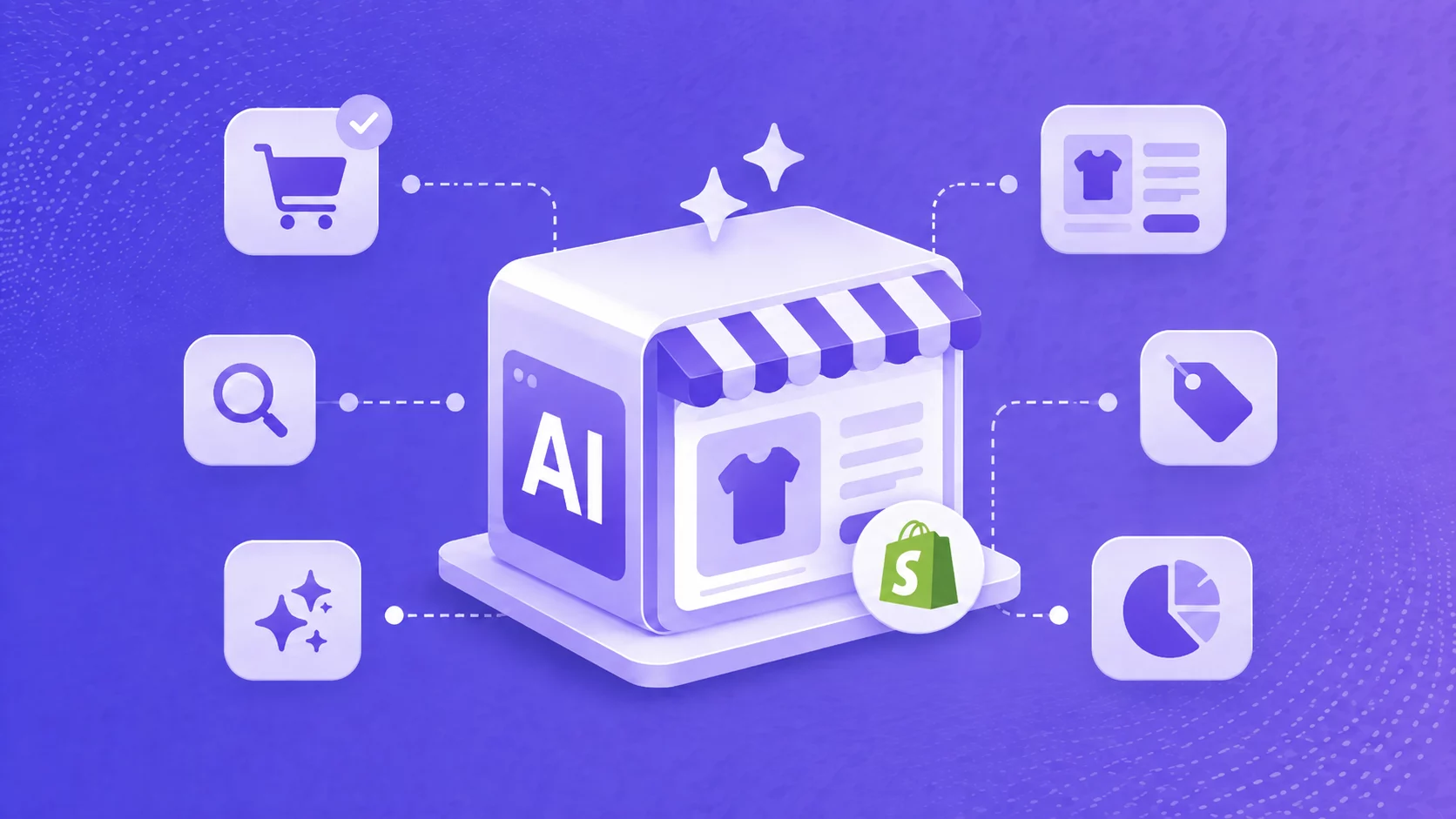
Zendrop’s AI-Built Stores gives you a much fuller starting point: a Shopify store with a Zendrop theme and products already loaded, so you can spend more of your time changing what’s there instead of assembling everything from scratch.

If you’re comparing that route with a DIY build, our guide to prebuilt Shopify stores explains the tradeoffs.
You still have decisions to make. The positioning, products, offer, and taste are yours.
But there’s a big difference between editing a first draft and staring at an empty Shopify theme.
2. Make the ads you want to test: Addrop
Then you need something to put in front of people.
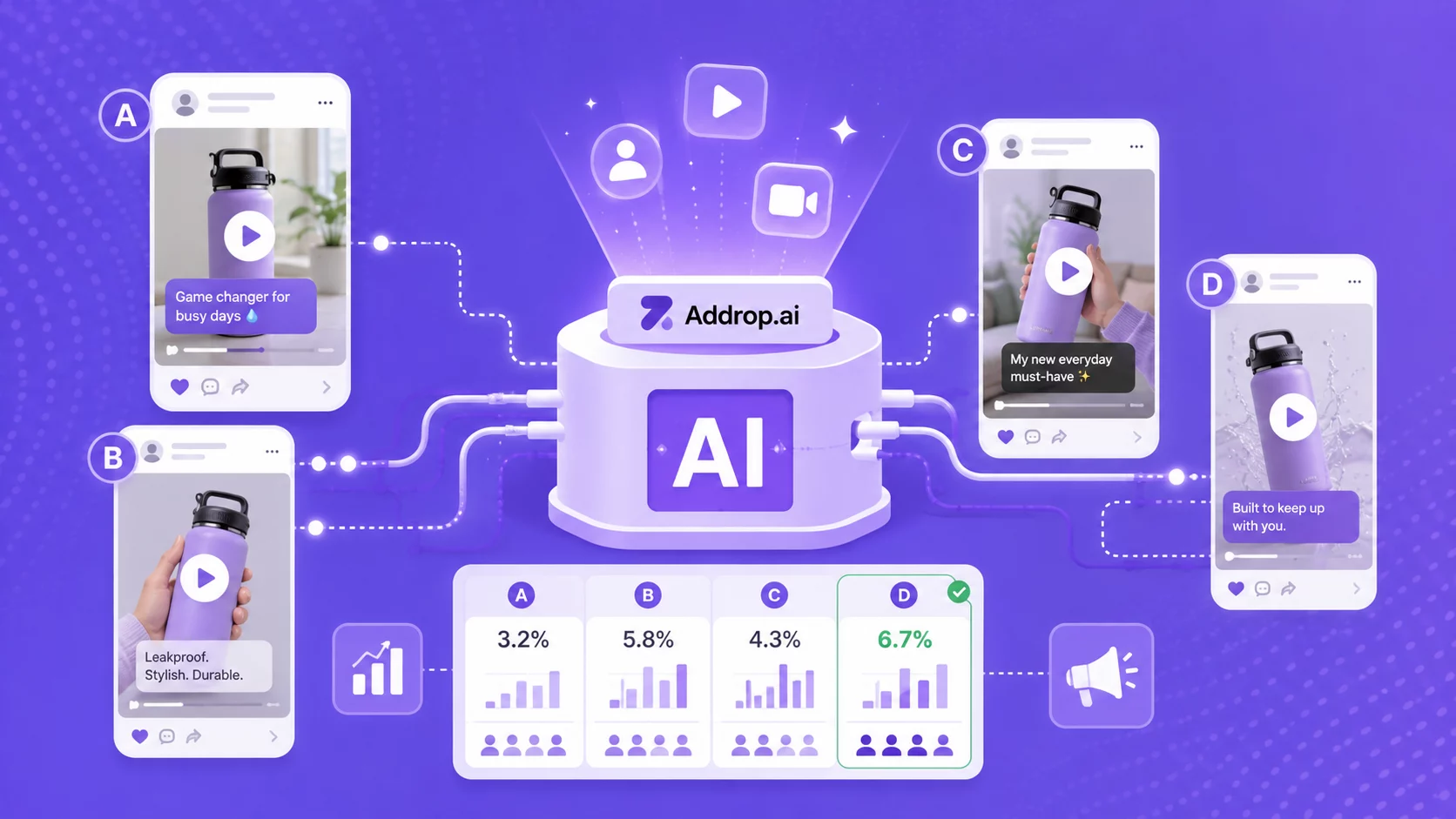
Addrop lets you bring in a product from Zendrop, choose or generate a script, pick an AI creator, and turn it into a creator-style video for channels like TikTok, Reels, and Shorts.

That changes the first step of creative testing.
You don’t necessarily need to find a creator, ship them a sample, wait for footage, and edit a video just to see whether an angle is worth pursuing. You can make an initial version with AI, put it in front of an audience, and learn from there.
That doesn’t mean every AI ad will work. Most creative ideas won’t.
It means making the next one is easier.
[Image: creator-style UGC ad on a phone screen]
3. Keep the store moving with Zendrop MCP
Once orders start coming in, the work gets less glamorous.
What sold yesterday? Which orders still need attention? What’s the revenue for the week? How long will this product take to ship to the U.S.?
These are small questions. There are just a lot of them.
With Zendrop MCP, you can ask those questions from a compatible AI assistant instead of hunting through dashboards yourself. The connection can access Zendrop data such as products, orders, shipping estimates, and store analytics.
It can also take certain actions. For example, you can ask it to fulfill an order. Zendrop requires a confirmation before fulfillment goes through, so the final decision still sits with you.
This may be the least exciting use of AI in the whole stack.
It may also be one of the most useful.
Running a store creates dozens of tiny jobs. Looking something up. Checking a status. Moving to another tab. Doing the same thing again tomorrow.
The agent doesn’t make those jobs more interesting.
It just means you have to do fewer of them.

The jobs don’t disappear. You still need to decide what to sell, what creative is worth testing, and what to do when something goes wrong.
But the cost of repeating the mechanical parts can change quite a bit.
An example in practice
Take one store that needs about 60 hours of routine admin help a month and six new UGC videos to keep testing creative.
This is illustrative math, not a forecast. Swap in your own numbers before making a decision.
With people doing the manual, repeatable work:
- Admin help: 60 hours at roughly $10–$20/hour = $600–$1,200
- Six human UGC videos: roughly $100–$500 each = $600–$3,000
- Total outside cost: roughly $1,200–$4,200 per month
That doesn’t include your ad spend, Shopify subscription, product costs, fulfillment, or the value of your own time.
Now take the same example with the AI-assisted stack we’ve been talking about.
With a connected AI workflow:
- Zendrop: roughly $29–$79/month, depending on your plan and usage
- AI assistant: ChatGPT Plus, for example, is currently $20/month
- 10 Addrop video generations: $29.99
- Illustrative software total: roughly $79–$129/month
Again, that’s not an apples-to-apples replacement.
A human virtual assistant can deal with ambiguity, talk to people, notice strange situations, and take on work an agent can’t. A skilled UGC creator may produce an idea or performance an AI-generated ad won’t.
And there’s no honest formula that says 60 hours of human work becomes six hours of AI review.
That’s not really the point.
The economics change when you want to do the same kind of thing again and again and again.
A seventh creator video usually means paying for a seventh creator video. Another ten hours of VA help means paying for another ten hours.
With an AI agent for dropshipping, the next lookup, variation, or routine action can cost almost nothing.
Start with our step-by-step product pricing guide, then use Zendrop’s profit margin calculator to pressure-test the numbers.
Want to run the same math with your own selling price, product cost, shipping, and ad spend? Zendrop’s profit margin calculator is a useful place to pressure-test it.
How to automate your dropshipping store in 5 days
You don’t need to rebuild your store or automate everything at once.
Give yourself one week. The goal isn’t to create the perfect AI workflow and get one useful version running and see what you actually want to keep.
Day 1: Connect your store
If you already have a Shopify store, start by connecting it to Zendrop.
That’s enough for day one.
Make sure the store appears in your Zendrop account and that you can see the products and orders you’d expect to see.
If you don’t have a store yet, take the other path: start with an AI-Built Store.
Start Your Shopify Store for $1/Month
Try Shopify free for 3 days, then pay just $1/month for your first 3 months. Build your store, connect Zendrop, and start putting your dropshipping workflow in place.
Start for $1/Month →
Day 2: Get the first version of the store into shape
If you’re starting with an AI-built store, resist the urge to perfect it.
Change the branding. Read the product pages. Remove anything you don’t want to sell. Make sure the store looks like something you’d be comfortable sending a stranger to.
You’re editing a starting point, not building from an empty theme.
And if you already had a store before this guide, congratulations: you get most of Day 2 back.
Day 3: Make something to test
Pick one product and make a small batch of creative with Addrop.
Don’t make four versions of the same ad. Try different reasons someone might care about the product: a problem it solves, an unexpected use, a demonstration, or a different opening hook.
Three or four videos is enough to start.
The goal isn’t to produce the ad. It’s to have a few ideas you can put in front of people and learn from.
Once you have a few variants, use this step-by-step TikTok ads campaign guide to launch a structured test.
Day 4: Connect your AI assistant
Now connect the part that turns the chatbot into an agent.
Follow our Zendrop MCP setup guide for the assistant you use. Zendrop currently provides setup instructions for ChatGPT, Claude, and other MCP-capable assistants.
Once it’s connected, start with an easy question:
“Show me my imported products.”
Or, if the store already has orders:
“What orders are unfulfilled right now?”
Check the answer against Zendrop.
That’s your first useful test: the assistant isn’t answering from what you pasted into the chat. It’s looking at your store.
Day 5: Give it one job you normally do yourself
Don’t try to automate your whole morning.
Pick one annoying thing you already do.
Maybe it’s checking yesterday’s revenue. Maybe it’s finding unfulfilled orders. Maybe it’s looking up tracking for customers or estimating shipping for a product you’re considering.
Ask the agent to do that instead.
Start with something simple, like tracking:
“Which orders have new tracking updates, and does anything look like it needs attention?”
Instead of opening individual orders and checking each shipment yourself, the agent can pull together the relevant tracking information so you know where to look first.
Then keep going.
If it finds an unfulfilled order, ask what it would cost to fulfill. If everything looks right, ask it to fulfill the order. You’ll still get a confirmation before anything is charged or shipped.
That back-and-forth is the part worth paying attention to.
You’re not asking the agent to “run the store.” You’re giving it one repeatable job, checking the result, and deciding whether it’s worth handing over again tomorrow.
By Friday, you don’t need a store that runs itself.
You need one store, a few things to test, and one job you used to do by hand that you can now hand to the agent.
Start there.
After a week or two, you’ll have a much better idea of what else is worth giving it.
What you should still do yourself: The limitations of AI dropshipping automation
There are some jobs you should be perfectly happy to hand to an AI agent.
Checking an order status. Pulling yesterday’s revenue. Looking up a shipping estimate. Finding the products that are trending this week.
Then there are the decisions where a wrong answer costs more than a few minutes.
A useful rule is to let the agent handle work that’s repeatable and easy to check. Keep the decisions that depend on taste, relationships, or how much risk you’re willing to take.
Choosing what to test
An agent can give you a very good place to start.
You can ask for trending products, search by category or price, compare shipping options, and look at the numbers behind products you’re considering. Zendrop’s product discovery and winning products tools can help with the same research.
What you get is a shortlist.
That’s different from a decision.
A product may be trending and still be a bad fit for your budget, your audience, or the kind of store you want to run. A list can tell you what’s moving. It can’t tell you whether you understand the person buying it.
Use the data to narrow the field. Then pick the thing you’re willing to spend money testing.
Deciding how to sell it
AI is very good at giving you options.
Ask for 20 hooks and you’ll get 20 hooks. Ask it to rewrite your product page for busy parents, college students, or dog owners and it will happily oblige.
The harder question is which direction feels right.
Who is this store for? What do you want it to sound like? Is the cheap-and-cheerful angle right, or would the product make more sense positioned as something premium?
Those aren’t really writing questions. They’re positioning decisions.
The agent can help you explore them. You still need to recognize the one worth committing to.
Handling the weird stuff
Automation works best when the next step is predictable.
Sometimes it isn’t.
A shipment disappears. A customer receives something damaged. A supplier can’t deliver what you expected. The product that arrived isn’t quite the product you thought you were selling.
Your agent can help surface the order, tracking information, costs, and any fulfillment issues attached to it.
But once the job becomes “figure out what happened and negotiate a solution with another person,” you’ve crossed into human territory.
For larger sellers, that’s also where more hands-on support and sourcing options such as Zendrop’s Private Agent program can become relevant.
If product quality is the recurring issue, use this guide to source higher-quality products before adding more automation.
Making bets you can’t easily undo
Some decisions are expensive to reverse.
Buying inventory is one. Going private label is another. So is putting a large chunk of your ad budget behind one product because the first few days looked promising.
An agent can make those decisions better informed.
It can show you sales history, margins, refunds, order volume, shipping costs, and other information you might want before making the call.
But it doesn’t have to live with 2,000 units of a product that stopped selling.
You do.
Let the agent handle the repeatable work. Let it bring you the evidence for the harder decisions, too.
But when the decision depends on taste, trust, or how much you’re willing to lose if you’re wrong, keep your hand on the wheel.
The point isn’t to do less. It’s to spend your time better.
AI doesn’t remove the work of running a store. It changes where you spend your time.
The repetitive parts, like checking orders, looking up numbers, making another variation, moving information between tools, are becoming easier to hand off. That leaves more room for the work that still benefits from you: choosing what to test, noticing what customers respond to, deciding where to spend, and knowing when something needs a different approach.
You don’t need to automate everything at once. Start with one task you do over and over, hand that off, and see what it gives back.
The best outcome isn’t a store that runs without you. It’s a store that needs you for the right things.
Ready to test more than one idea at a time? Sign up for Zendrop for free →
Can dropshipping be automated?
Yes. Many of the repetitive parts of running a dropshipping store can be automated, including order processing, inventory updates, shipping notifications, product imports, reporting, and parts of customer support. An agent can help you compare products from different dropshipping suppliers, including price, availability, and shipping estimates.
How do you automate a dropshipping business?
Start with tasks you do repeatedly and that follow a clear process.
For example, you might automate order fulfillment, inventory syncing, tracking updates, product imports, or routine store reporting. AI tools can also help with product research, product pages, ad creative, and other work that changes from one task to the next.
A good approach is to automate one workflow at a time, check that it works the way you expect, and then move on to the next repetitive task.
What parts of dropshipping can be automated?
Common areas for dropshipping automation include:
Product imports and product information
Inventory and stock updates
Order processing and fulfillment
Shipping estimates and tracking
Routine store reporting
Product page drafts
Ad hooks, scripts, and creative variations
Parts of customer support
The best tasks to automate tend to be repetitive, time-consuming, and easy to review afterward.
Can AI automate dropshipping?
AI can automate parts of dropshipping, especially when it’s connected to the tools and data behind your store.
A standalone AI chatbot can help you write, brainstorm, and analyze information you provide. A connected AI agent can go further by working with store data, answering operational questions, and helping with supported actions.
That still doesn’t mean AI should run every part of the business on its own. It’s most useful for reducing repetitive work and bringing you the information you need to make better decisions.
Can you automate a Shopify dropshipping store?
Yes. A Shopify dropshipping store can use automation for tasks such as importing products, syncing inventory, processing orders, updating tracking information, and handling parts of fulfillment.
You can also connect other tools to Shopify to automate creative work, reporting, and day-to-day store operations.
The exact level of automation depends on the apps and integrations you use, as well as which actions you want to keep behind a manual review or confirmation step.
What is the difference between dropshipping automation and an AI agent?
Traditional dropshipping automation usually follows predefined rules: when this happens, do that.
An AI agent is more flexible. When connected to your store, it can understand a request, look at relevant data, and help determine the next step without requiring you to create a separate rule for every situation.
For example, a traditional workflow might automatically update an order when tracking becomes available. A connected AI agent could answer, “Which orders still need attention?” and help you investigate what’s happening with each one.
Both can automate work. They just approach it differently.
Does the AI ship orders without my approval?
No. Zendrop MCP includes a confirmation step before anything ships. The agent can pull up what needs reordering and prepare the fulfillment, but it waits for you to confirm before an order actually goes out. You keep control of the moment money and product move.
What should you not automate in dropshipping?
Be careful automating decisions where a mistake could be expensive or difficult to reverse. That includes choosing your overall brand positioning, making large inventory commitments, putting significant ad spend behind a product, handling unusual supplier problems, or making decisions that depend heavily on customer context.
A useful rule is to automate work that is repeatable and easy to check. Use AI and automation to gather information and handle routine steps, then keep yourself involved when the decision depends on judgment, relationships, or risk.